On This Page
Pay by Link Developer Guide
Pay by Link
Developer GuideThis section describes how to use this guide and where to find further information.
- Audience and Purpose
- This guide is written for merchants who want to use thePay by Linkservices. It describes tasks that a merchant must complete in order to create, send, and manage payment links and donation links using thePay by LinkAPI. It also describes how to set up automated webhook notifications when a payment link is used by a customer to make a payment. It is intended to help the merchant provide a seamless customer payment experience.
- Conventions
- This special statement is used in this document:IMPORTANTAnImportantstatement contains information essential to successfully completing a task or learning a concept.
- Customer Support
- For support information about any service, visit the Support Center:
Recent Revisions to This Document
26.08.01
Added support for custom fields when creating a payment link. See Create a New Link with Custom Fields.
Added support for default custom fields that apply automatically to new payment links.
See Create Default Custom Fields.
Added optional fields for discounts and taxes and transaction reference numbers when
creating fixed-priced links. See Create a Fixed-Price Link.
26.02.01
Added new fields and values to customize the payment link payment page settings. See Update Payment Link Settings.
26.01.01
This revision contains only editorial changes and no technical updates.
25.11.01
Added a note about personally identifying information in
Pay by Link
fields. See Introduction to Pay by Link. 25.04.02
Added information about how to deactivate and activate a payment link using the
status
request field. See Update a Fixed-Price Link
and Update a Customer-Set Link.Added information about how to create
Token Management Service
(TMS
) tokens
from Pay by Link
transactions using Transaction Management in the Business Center
. See Introduction to Pay by Link.25.04.01
This revision contains only editorial changes and no technical updates.
24.08.01
Initial release.
Visa Platform Connect: Specifications and Conditions for
Resellers/Partners
The following are specifications and conditions that apply to a Reseller/Partner enabling
its merchants through
Visa Acceptance platform
. Failure to meet any of the specifications and conditions below is
subject to the liability provisions and indemnification obligations under
Reseller/Partner’s contract with Visa/Cybersource.- Before boarding merchants for payment processing on a VPC acquirer’s connection, Reseller/Partner and the VPC acquirer must have a contract or other legal agreement that permits Reseller/Partner to enable its merchants to process payments with the acquirer through the dedicated VPC connection and/or traditional connection with such VPC acquirer.
- Reseller/Partner is responsible for boarding and enabling its merchants in accordance with the terms of the contract or other legal agreement with the relevant VPC acquirer.
- Reseller/Partner acknowledges and agrees that all considerations and fees associated with chargebacks, interchange downgrades, settlement issues, funding delays, and other processing related activities are strictly between Reseller and the relevant VPC acquirer.
- Reseller/Partner acknowledges and agrees that the relevant VPC acquirer is responsible for payment processing issues, including but not limited to, transaction declines by network/issuer, decline rates, and interchange qualification, as may be agreed to or outlined in the contract or other legal agreement between Reseller/Partner and such VPC acquirer.
DISCLAIMER: NEITHER VISA NOR CYBERSOURCE WILL BE RESPONSIBLE OR LIABLE FOR ANY ERRORS OR
OMISSIONS BY THE
Visa Platform Connect
ACQUIRER IN PROCESSING TRANSACTIONS. NEITHER VISA
NOR CYBERSOURCE WILL BE RESPONSIBLE OR LIABLE FOR RESELLER/PARTNER BOARDING MERCHANTS OR
ENABLING MERCHANT PROCESSING IN VIOLATION OF THE TERMS AND CONDITIONS IMPOSED BY THE
RELEVANT Visa Platform Connect
ACQUIRER. Introduction to Pay by Link
Pay by Link
Pay by Link
is an easy and fast way to securely sell products or
receive donations online. You can send and display a secure payment
link across physical and digital marketing. This
solution is ideal for distributing the same payment link to multiple customers.Integrate
Pay by Link
APIs into your own system to automate the
creation and management of payment links. Links for making purchases are referred to as
fixed-price links
, and links for making donations are referred to as
customer-set price links
.- Benefits
- Pay by Linkenables you to:
- Get started with a fast and easy setup.
- Grow your business and revenue through multiple sales channels.
- Offer customers the convenience of popular payment options.
- Get paid from any connected device: mobile, tablet, and desktop.
- Reduce chargebacks and fraud through easy integration with Decision Manager.
- Maintain PCI security and compliance, and minimize future PCI scoping.
- Requirements
- Before you can begin usingPay by Link, your merchant account must be enabled for Unified Checkout. If you are a merchant, contact your sales representative for more information.If you are a portfolio user, you can use theBusiness Centerto board and enable your merchants for Unified Checkout andPay by Link. For more information, see thePay by Linksection in theBoarding User Guide.
Tokenization for Merchant-Initiated Transactions
You can create
Token Management Service
(TMS
) tokens from Pay by Link
transactions using Transaction Management in the Business Center
.IMPORTANT
If you create and use
TMS
tokens for
merchant-initiated transactions (MITs), you must comply with the Consent
Agreement Provisions
as stated in the Improving Authorization Management for
Transactions with Stored Credentials
guide.Custom Fields
Pay by Link
allows you to add custom fields to payment links. These
fields can be used to collect additional information or display read-only information.
You can create these types of custom fields:- Editable text fields for collecting additional information
- Read-only text fields for displaying static information
- Editable select fields dropdown menus with predefined options
Custom fields can
be added to all payment links as default fields or they can be added to payment
links during creation.
IMPORTANT
Pay by Link
fields are strictly designated for
non-personal data and must not be used to capture personally
identifying information. You are prohibited from capturing,
obtaining, or transmitting any personally identifying information in
or through any Pay by Link
fields, including
merchant-defined data fields.Personally identifying information includes, but is not limited to,
address, payment card number, social security number, driver's
license number, state-issued identification number, passport number,
and card verification numbers (CVV, CVC2, CVV2, CID, CVN). In the
event it is discovered that a merchant is capturing and/or
transmitting personally identifying information, whether or not
intentionally, the merchant's account is immediately suspended,
which results in a rejection of any and all transaction requests
submitted by the merchant after the point of suspension.
- Default Custom Fields
- You can configure default custom field settings that automatically apply whenever a new payment link is created. New default fields are not added to existing payment links.For more information on how to add default custom fields viaREST API, Create Default Custom Fields.
- Creating and Editing Payment Links
- When you create a new payment link, default custom fields are automatically applied in the Custom Fields section.Default fields can be removed from new payment links during link creation. Changes made to a payment link field settings apply only to that link. If a default field is removed from a payment link by mistake, you must create a new link to reset the custom fields to their default settings.For more information on how to create and edit custom fields viaREST API, Create a New Link with Custom Fields.
Pay by Link API Requests
Pay by Link
API RequestsThis section describes how to create and manage payment links using the
REST API
.Create a Fixed-Price Link
Use the information in this section to create fixed-price links that you can send or
display to your customers. Your customers can then use the links to pay on a secure
Visa Acceptance Solutions
hosted website. You can include discounts and taxes to either the total billed amount or to billed line
items in a fixed-price link. For more information about including discounts and taxes to
a fixed-price link, see Optional Fields for Invoice Creation.
Fixed-price links are typically used by customers to make purchases. To create a link for
donations, see Create a Customer-Set Link.
Partner Information
If your merchant account is associated with a
Visa Acceptance Solutions
partner,
you can include your partner solution ID (PSID) in the request for tracking and
reporting purposes. To submit your PSID, include the clientReferenceInformation.partner.solutionId
request field, and set
its field value to your PSID.Endpoints
Production:
POST
https://api.visaacceptance.com
/ipl/v2/payment-links/Test:
POST
https://apitest.visaacceptance.com
/ipl/v2/payment-links/Required Fields for Creating a Fixed-Price Link
- orderInformation.amountDetails.currency
- orderInformation.amountDetails.totalAmount
- orderInformation.lineItems[].productName
- orderInformation.lineItems[].unitPrice
- processingInformation.linkType
- Set toPURCHASE.
- purchaseInformation.purchaseNumber
- Set to a unique identifier for the fixed-price link.
Optional Fields for Creating a Fixed-Price Link
- clientReferenceInformation.partner.developerId
- Set to your developer ID.
- clientReferenceInformation.partner.solutionId
- Set to your partner solution ID (PSID).
- invoiceInformation.transactionReferenceNumber
- orderInformation.amountDetails.maxAmount
- orderInformation.amountDetails.minAmount
- orderInformation.lineItems[].productDescription
- orderInformation.lineItems[].productSku
- orderInformation.lineItems[].quantity
- processingInformation.requestPhone
- processingInformation.requestShipping
Optional Fields for Discounts and Taxes
Discount Fields for the Link Total
- orderInformation.amountDetails.discountAmount
- orderInformation.amountDetails.discountPercent
Discount Fields for Line Items
- orderInformation.lineItems[].discountAmount
- orderInformation.lineItems[].discountRate
Tax Fields for Link Total
- orderInformation.lineItems[].discountAmount
- orderInformation.lineItems[].discountRate
Tax Fields for Line Items
- orderInformation.lineItems[].taxAmount
- orderInformation.lineItems[].taxRate
REST Example: Creating a Fixed-Price Link
REST
Example: Creating a Fixed-Price LinkRequest
{
    "processingInformation": {
        "linkType": "PURCHASE"
    },
    "purchaseInformation": {
        "purchaseNumber": "78759658468578"
    },
    "orderInformation": {
        "amountDetails": {
            "currency": "USD",
            "totalAmount": "60"
        },
        "lineItems": [
            {
                "productName": "Birthday Cake",
                "unitPrice": "60"
            }
        ]
    }
}
Response to a Successful Request
{
  "_links": {
    "self": {
      "href": "/ipl/v2/payment-links/78795658468578",
      "method": "GET"
    },
    "update": {
      "href": "/ipl/v2/payment-links/78795658468578",
      "method": "PATCH"
    }
  },
  "id": "78795658468578",
  "submitTimeUtc": "2024-08-08T02:27:28.287601279Z",
  "status": "ACTIVE",
  "processingInformation": {
    "linkType": "PURCHASE",
    "requestPhone": false,
    "requestShipping": false
  },
  "purchaseInformation": {
    "purchaseNumber": "78795658468578",
    "createdDate": "2024-08-08T02:27:28.370",
    "paymentLink": "https://businesscenter.visaacceptance.com/payByLink/pay/IXBls1OJVqRiiv0SL8XjHit0InRBW844eEou2EWBCNP7WIGDdd8tjKN07Ep3MaQD"
  },
  "orderInformation": {
    "amountDetails": {
      "totalAmount": 60,
      "currency": "USD"
    },
    "lineItems": [
      {
        "productName": "Birthday Cake",
        "unitPrice": 60,
        "quantity": 1
      }
    ]
  }
}
Create a Customer-Set Link
Use the information in this section to create customer-set price links that you can send
or display to your customers. Your customers can then use the link to pay on a secure
Visa Acceptance Solutions
-hosted website.Customer-set links are typically used to make donations. To create a link for customers
to make purchases, see Create a Fixed-Price Link.
Partner Information
If your merchant account is associated with a
Visa Acceptance Solutions
partner,
you can include your partner solution ID (PSID) in the request for tracking and
reporting purposes. To submit your PSID, include the clientReferenceInformation.partner.solutionId
request field, and set
its field value to your PSID.Endpoints
Production:
POST
https://api.visaacceptance.com
/ipl/v2/payment-links/Test:
POST
https://apitest.visaacceptance.com
/ipl/v2/payment-links/Required Fields for Creating a Customer-Set Link
- orderInformation.amountDetails.currency
- orderInformation.amountDetails.minAmount
- orderInformation.amountDetails.totalAmount
- orderInformation.lineItems[].productName
- orderInformation.lineItems[].unitPrice
- processingInformation.linkType
- Set toDONATION.
- purchaseInformation.purchaseNumber
- Set to a unique identifier for the customer-set price link.
Optional Fields for Creating a Customer-Set Link
- clientReferenceInformation.partner.developerId
- Set to your developer ID.
- clientReferenceInformation.partner.solutionId
- Set to your partner solution ID (PSID).
- invoiceInformation.transactionReferenceNumber
- orderInformation.amountDetails.maxAmount
- orderInformation.amountDetails.minAmount
- orderInformation.lineItems[].productDescription
- orderInformation.lineItems[].productSku
- orderInformation.lineItems[].quantity
- processingInformation.requestPhone
- processingInformation.requestShipping
REST Example: Creating a Customer-Set Price Link
REST
Example: Creating a Customer-Set Price LinkRequest
{
    "processingInformation": {
        "linkType": "DONATION"
    },
    "purchaseInformation": {
        "purchaseNumber": "68435461384354384836"
    },
    "orderInformation": {
        "amountDetails": {
            "minAmount": "1",
            "currency": "USD",
            "totalAmount": "1"
        },
        "lineItems": [
            {
                "productName": "Fundraiser",
                "unitPrice": "1"
            }
        ]
    }
}
Response to a Successful Request
{
  "_links": {
    "self": {
      "href": "/ipl/v2/payment-links/68435461384354384836",
      "method": "GET"
    },
    "update": {
      "href": "/ipl/v2/payment-links/68435461384354384836",
      "method": "PATCH"
    }
  },
  "id": "68435461384354384836",
  "submitTimeUtc": "2024-08-08T14:51:16.505077155Z",
  "status": "ACTIVE",
  "processingInformation": {
    "linkType": "DONATION",
    "requestPhone": false,
    "requestShipping": false
  },
  "purchaseInformation": {
    "purchaseNumber": "68435461384354384836",
    "createdDate": "2024-08-08T14:51:16.523",
    "paymentLink": "https://businesscenter.visaacceptance.com/payByLink/pay/nQpuAeme4aRwucfJtAq8AyLwdUjcWRGdhGAyPrLmIh0LGDaW4hvdnHCqf1lSRUJV"
  },
  "orderInformation": {
    "amountDetails": {
      "totalAmount": 1,
      "currency": "USD",
      "minAmount": 1
    },
    "lineItems": [
      {
        "productName": "123654"
      }
    ]
  }
}
Update a Fixed-Price Link
Use the information in this section to update a fixed-price link, such as modifying the
billing information for your customers if their billing information changes. When
sending an update request, include all of the fields from the original request to create
the link. If you exclude a field, the information corresponding to that field is removed
from the updated payment page.
Deactivate a Payment Link
You can deactivate a payment link to no longer allow your customers to use the link.
To do this, include the
status
field in your update request and
set it to INACTIVE
. If you want to activate the payment link again,
you can send your update request with the status
field set to
ACTIVE
.Endpoints
Production:
PATCH
https://api.visaacceptance.com
/ipl/v2/payment-links/{id}
Test:
PATCH
https://apitest.visaacceptance.com
/ipl/v2/payment-links/{id}
Set the to the payment number ID contained in the create
payment link response.
{id}
Required Fields for Updating a Fixed-Price Link
- orderInformation.amountDetails.currency
- orderInformation.amountDetails.totalAmount
- orderInformation.lineItems[].productName
- orderInformation.lineItems[].unitPrice
- processingInformation.linkType
- Set toPURCHASE.
Optional Fields for Updating a Fixed-Price Link
- clientReferenceInformation.partner.developerId
- Set to your developer ID.
- clientReferenceInformation.partner.solutionId
- Set to your partner solution ID (PSID).
- invoiceInformation.transactionReferenceNumber
- orderInformation.amountDetails.maxAmount
- orderInformation.amountDetails.minAmount
- orderInformation.lineItems[].productDescription
- orderInformation.lineItems[].productSku
- orderInformation.lineItems[].quantity
- processingInformation.requestPhone
- processingInformation.requestShipping
- purchaseInformation.purchaseNumber
- Set to a unique identifier for the payment link.
- status
- Include this field to activate or deactivate a payment link.
- Set to one of these values:
- ACTIVE: The payment link is usable to complete a payment.
- INACTIVE: The payment link is not usable to complete a payment.
Optional Fields for Discounts and Taxes
Discount Fields for the Link Total
- orderInformation.amountDetails.discountAmount
- orderInformation.amountDetails.discountPercent
Discount Fields for Line Items
- orderInformation.lineItems[].discountAmount
- orderInformation.lineItems[].discountRate
Tax Fields for Link Total
- orderInformation.lineItems[].discountAmount
- orderInformation.lineItems[].discountRate
Tax Fields for Line Items
- orderInformation.lineItems[].taxAmount
- orderInformation.lineItems[].taxRate
REST Example: Updating a Fixed-Price Link
REST
Example: Updating a Fixed-Price LinkRequest
{
    "processingInformation": {
        "linkType": "PURCHASE"
    },
    "orderInformation": {
        "amountDetails": {
            "currency": "USD",
            "totalAmount": "75"
        },
        "lineItems": [
            {
                "productName": "Birthday Cake",
                "unitPrice": "75"
            }
        ]
    }
}
Response to a Successful Request
{
  "_links": {
    "self": {
      "href": "/ipl/v2/payment-links/78759658968978",
      "method": "GET"
    },
    "update": {
      "href": "/ipl/v2/payment-links/78759658968978",
      "method": "PATCH"
    }
  },
  "id": "78759658968978",
  "submitTimeUtc": "2024-08-15T21:11:46.163224519Z",
  "status": "ACTIVE",
  "processingInformation": {
    "linkType": "PURCHASE",
    "requestPhone": false,
    "requestShipping": false
  },
  "purchaseInformation": {
    "purchaseNumber": "78759658968978",
    "createdDate": "2024-08-15T21:08:24.593",
    "paymentLink": "https://businesscenter.visaacceptance.com/payByLink/pay/e1PxwGdhJWtz3MBXCE7DvuXoYlT7G0I2kyb3gRrQY6bLWbH5769guEPlUri2z7Kc"
  },
  "orderInformation": {
    "amountDetails": {
      "totalAmount": 75,
      "currency": "USD"
    },
    "lineItems": [
      {
        "productName": "Birthday Cake",
        "unitPrice": 75,
        "quantity": 1
      }
    ]
  }
}
Update a Customer-Set Link
Use the information in this section to update customer-set links to modify the
information set in the original link, such as the price amount. When sending an update
request, include all of the fields from the original request to create the link. If you
exclude a field, the information corresponding to that field is removed from the updated
payment page.
Deactivate a Payment Link
You can deactivate a payment link to no longer allow your customers to use the link.
To do this, include the
status
field in your update request and
set it to INACTIVE
. If you want to activate the payment link again,
you can send your update request with the status
field set to
ACTIVE
.Endpoints
Production:
PATCH
https://api.visaacceptance.com
/ipl/v2/payment-links/{id}
Test:
PATCH
https://apitest.visaacceptance.com
/ipl/v2/payment-links/{id}
Set the to the payment number ID contained in the create
payment link response.
{id}
Required Fields for Updating a Customer-Set Link
- orderInformation.amountDetails.currency
- orderInformation.amountDetails.minAmount
- orderInformation.amountDetails.totalAmount
- orderInformation.lineItems[].productName
- orderInformation.lineItems[].unitPrice
- processingInformation.linkType
- Set toDONATION.
- purchaseInformation.purchaseNumber
- Set to a unique identifier for the customer-set price link.
Optional Fields for Updating a Customer-Set Link
- clientReferenceInformation.partner.developerId
- Set to your developer ID.
- clientReferenceInformation.partner.solutionId
- Set to your partner solution ID (PSID).
- invoiceInformation.transactionReferenceNumber
- orderInformation.amountDetails.maxAmount
- orderInformation.amountDetails.minAmount
- orderInformation.lineItems[].productDescription
- orderInformation.lineItems[].productSku
- orderInformation.lineItems[].quantity
- processingInformation.requestPhone
- processingInformation.requestShipping
- status
- Include this field to activate or deactivate a payment link.
- Set to one of these values:
- ACTIVE: The payment link is usable to complete a payment.
- INACTIVE: The payment link is not usable to complete a payment.
REST Example: Updating a Customer-Set Price Link
REST
Example: Updating a Customer-Set Price LinkRequest
{
    "processingInformation": {
        "linkType": "DONATION"
    },
    "orderInformation": {
        "amountDetails": {
            "minAmount": "1",
            "currency": "USD",
            "totalAmount": "5"
        },
        "lineItems": [
            {
                "productName": "Fundraiser",
                "unitPrice": "5"
            }
        ]
    }
}
Response to a Successful Request
{
  "_links": {
    "self": {
      "href": "/ipl/v2/payment-links/78759658968978",
      "method": "GET"
    },
    "update": {
      "href": "/ipl/v2/payment-links/78759658968978",
      "method": "PATCH"
    }
  },
  "id": "78759658968978",
  "submitTimeUtc": "2024-08-15T21:11:46.163224519Z",
  "status": "ACTIVE",
  "processingInformation": {
    "linkType": "DONATION",
    "requestPhone": false,
    "requestShipping": false
  },
  "purchaseInformation": {
    "purchaseNumber": "78759658968978",
    "createdDate": "2024-08-15T21:08:24.593",
    "paymentLink": "https://businesscenter.visaacceptance.com/payByLink/pay/e1PxwGdhJWtz3MBXCE7DvuXoYlT7G0I2kyb3gRrQY6bLWbH5769guEPlUri2z7Kc"
  },
  "orderInformation": {
    "amountDetails": {
      "totalAmount": 5,
      "currency": "USD"
    },
    "lineItems": [
      {
        "productName": "Fundraiser",
        "unitPrice": 5,
        "quantity": 1
      }
    ]
  }
}
Get Link
Use the information in this section to retrieve a payment link. Send a request with the
purchase number included in the endpoint. The purchase number was the field value used
in the
purchaseInformation.purchaseNumber
request field to create the
link.Endpoints
Production:
GET
https://api.visaacceptance.com
/ipl/v2/payment-links/{id}
Test:
GET
https://apitest.visaacceptance.com
/ipl/v2/payment-links/{id}
Set the to the payment number ID contained in the create
payment link response.
{id}
REST Example: Retrieving a Payment Link
REST
Example: Retrieving a Payment LinkRequest
{}
Response to a Successful Request
{
  "_links": {
    "self": {
      "href": "/ipl/v2/payment-links/787596584685788",
      "method": "GET"
    },
    "update": {
      "href": "/ipl/v2/payment-links/787596584685788",
      "method": "PATCH"
    }
  },
  "id": "787596584685788",
  "submitTimeUtc": "2024-08-09T19:57:03.694276330Z",
  "status": "ACTIVE",
  "processingInformation": {
    "linkType": "PURCHASE",
    "requestPhone": false,
    "requestShipping": false
  },
  "purchaseInformation": {
    "purchaseNumber": "787596584685788",
    "createdDate": "2024-08-09T19:56:02.463",
    "paymentLink": "https://businesscenter.visaacceptance.com/payByLink/pay/DpabIRBmi5nGTQEFMAjBhSHUg2o0VMy0Hde2QxMGZ6PUmTZt6HzEElcuweu6pTre"
  },
  "orderInformation": {
    "amountDetails": {
      "totalAmount": 60,
      "currency": "USD"
    },
    "lineItems": [
      {
        "productName": "Birthday Cake",
        "unitPrice": 60,
        "quantity": 1
      }
    ]
  }
}
Get All Links
Use the information in this section to retrieve all of the payment links you have created
by sending a
get all links
request.Endpoints
Production:
GET
https://api.visaacceptance.com
/ipl/v2/payment-links/Test:
GET
https://apitest.visaacceptance.com
/ipl/v2/payment-links/Set the to the payment number ID contained in the create
payment link response.
{id}
REST Example: Retrieving All Payment
Links
REST
Example: Retrieving All Payment
Links Request
{}
Response to a Successful Request
{
  "_links": {
    "self": {
      "href": "/ipl/v2/payment-links/?offset=0&limit=5",
      "method": "GET"
    },
    "next": {
      "href": "/ipl/v2/payment-links/?offset=5&limit=5",
      "method": "GET"
    }
  },
  "submitTimeUtc": "2024-08-09T19:58:08.823333768Z",
  "totalLinks": 87,
  "links": [
    {
      "_links": {
        "self": {
          "href": "/ipl/v2/payment-links/787596584685788",
          "method": "GET"
        },
        "update": {
          "href": "/ipl/v2/payment-links/787596584685788",
          "method": "PATCH"
        }
      },
      "id": "787596584685788",
      "status": "ACTIVE",
      "createdDate": "2024-08-09 19:56:02.463",
      "processingInformation": {
        "linkType": "PURCHASE"
      },
      "purchaseInformation": {
        "purchaseNumber": "787596584685788",
        "paymentLink": "https://businesscenter.visaacceptance.com/payByLink/pay/DpabIRBmi5nGTQEFMAjBhSHUg2o0VMy0Hde2QxMGZ6PUmTZt6HzEElcuweu6pTre"
      },
      "orderInformation": {
        "amountDetails": {
          "totalAmount": 60,
          "currency": "USD"
        },
        "lineItems": [
          {
            "productName": "Birthday Cake",
            "unitPrice": 60
          }
        ]
      }
    },
    {
      "_links": {
        "self": {
          "href": "/ipl/v2/payment-links/78759658468578",
          "method": "GET"
        },
        "update": {
          "href": "/ipl/v2/payment-links/78759658468578",
          "method": "PATCH"
        }
      },
      "id": "78759658468578",
      "status": "ACTIVE",
      "createdDate": "2024-08-09 18:14:32.213",
      "processingInformation": {
        "linkType": "PURCHASE"
      },
      "purchaseInformation": {
        "purchaseNumber": "78759658468578",
        "paymentLink": "https://businesscenter.visaacceptance.com/payByLink/pay/BirhSluHrqS7Dz76lXP6t3OmfyQ12fNRObUPvqb9ByH1UrbekMaQK18qdX9XubBS"
      },
      "orderInformation": {
        "amountDetails": {
          "totalAmount": 60,
          "currency": "USD"
        },
        "lineItems": [
          {
            "productName": "Birthday Cake",
            "unitPrice": 60
          }
        ]
      }
    },
    {
      "_links": {
        "self": {
          "href": "/ipl/v2/payment-links/516531358",
          "method": "GET"
        },
        "update": {
          "href": "/ipl/v2/payment-links/516531358",
          "method": "PATCH"
        }
      },
      "id": "516531358",
      "status": "ACTIVE",
      "createdDate": "2024-08-09 18:03:56.96",
      "processingInformation": {
        "linkType": "DONATION"
      },
      "purchaseInformation": {
        "purchaseNumber": "516531358",
        "paymentLink": "https://businesscenter.visaacceptance.com/payByLink/pay/JqfexFItwZuyGaz2Lkp5sUnhaRasnoyCcnMdVU2pi97XJ6OaDbtXWxI1krn8oGFe"
      },
      "orderInformation": {
        "amountDetails": {
          "totalAmount": 1,
          "currency": "USD",
          "minAmount": 1
        },
        "lineItems": [
          {
            "productName": "Fundraiser"
          }
        ]
      }
    },
    {
      "_links": {
        "self": {
          "href": "/ipl/v2/payment-links/09900",
          "method": "GET"
        },
        "update": {
          "href": "/ipl/v2/payment-links/09900",
          "method": "PATCH"
        }
      },
      "id": "09900",
      "status": "ACTIVE",
      "createdDate": "2024-08-08 15:03:29.21",
      "processingInformation": {
        "linkType": "PURCHASE"
      },
      "purchaseInformation": {
        "purchaseNumber": "09900",
        "paymentLink": "https://businesscenter.visaacceptance.com/payByLink/pay/xhEU2aewcbmM8Hi2wKJVmGnJZ3FWBQJpXXjJsC5E3ZZa9Y61ISdHm9ak6su6t887"
      },
      "orderInformation": {
        "amountDetails": {
          "totalAmount": 100,
          "currency": "USD"
        },
        "lineItems": [
          {
            "productName": "Pre Order",
            "productDescription": "Pre Order for Christmas",
            "unitPrice": 100
          }
        ]
      }
    },
    {
      "_links": {
        "self": {
          "href": "/ipl/v2/payment-links/68435461384354384836",
          "method": "GET"
        },
        "update": {
          "href": "/ipl/v2/payment-links/68435461384354384836",
          "method": "PATCH"
        }
      },
      "id": "68435461384354384836",
      "status": "ACTIVE",
      "createdDate": "2024-08-08 14:51:16.523",
      "processingInformation": {
        "linkType": "DONATION"
      },
      "purchaseInformation": {
        "purchaseNumber": "68435461384354384836",
        "paymentLink": "https://businesscenter.visaacceptance.com/payByLink/pay/nQpuAeme4aRwucfJtAq8AyLwdUjcWRGdhGAyPrLmIh0LGDaW4hvdnHCqf1lSRUJV"
      },
      "orderInformation": {
        "amountDetails": {
          "totalAmount": 1,
          "currency": "USD",
          "minAmount": 1
        },
        "lineItems": [
          {
            "productName": "123654"
          }
        ]
      }
    }
  ]
}
Update Payment Link Settings
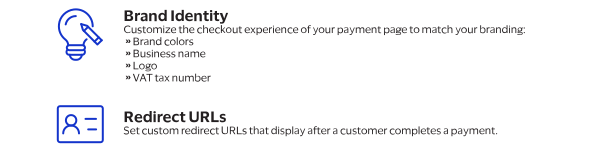
Use payment link settings to configure and manage the behavior and appearance of your payment
page. You can update these payment link settings:
Reset to Default Settings
To reset your payment link settings to their default values, send the corresponding fields
you want to reset with no value.
Endpoints
Send your API request message to one of these endpoints:
Production:
PUT
https://api.visaacceptance.com
/invoicing/v2/invoiceSettings?productType=PAYBYLINKTest:
PUT
https://apitest.visaacceptance.com
/invoicing/v2/invoiceSettings?productType=PAYBYLINKRequired Fields for Update Settings
The update payment link settings request does not require a specific set of fields.
Instead, you can choose the fields to include in your request based on aspects of your
checkout experience, email communications, and payer authentication enablement that you want
to update.
Name | API Request Field | Description |
|---|---|---|
Business Name | invoiceSettingsInformation. merchantDisplayName | The business name displayed on the payment page. |
Currency | invoiceSettingsInformation. defaultCurrencyCode | The currency of the billed amount. The currency code default value is set to USD when this field
is not specified. Only three-character ISO Standard Currency Codes are accepted. |
Header Background Color | invoiceSettingsInformation.
headerStyle.backgroundColor | The background color of the displayed payment page. Only hexadecimal code values with a prefixed # are accepted. Example: #000000 |
Logo | invoiceSettingsInformation. merchantLogo | The binary format of your logo that determines the image displayed to your
customers. Image files are restricted to 1 MB and must be encoded in Base64 format. These
are the supported file types:
|
VAT Tax Number | invoiceSettingsInformation. vatRegistrationNumber | The government-assigned tax identification number. |
VAT Tax Number Displayed | invoiceSettingsInformation. showVatNumber | The toggle for displaying the VAT tax number on the payment page. Possible values:
|
Name | API Request Field | Description |
|---|---|---|
Successful Transaction Redirect URL | invoiceSettingsInformation. customRedirectUrls.
paymentAccepted | The URL that the customer is redirected to after completing a successful
transaction in which the payment is processed. |
Pending Transaction Redirect URL | invoiceSettingsInformation. customRedirectUrls.
paymentPending | The URL that the customer is redirected to after completing checkout and the
payment is pending. |
Failed Transaction Redirect URL | invoiceSettingsInformation. customRedirectUrls.
paymentRejected | The URL that the customer is redirected to after a transaction is
rejected. |
Example: Update Payment Link Settings
Request
{
  "invoiceSettingsInformation": {
    "merchantLogo": "/9j/4AWFhYW",
    "merchantDisplayName": "Custom Merchant Display Name",
    "headerStyle": {
      "fontColor": "#000001",
      "backgroundColor": "#FFFFFF"
    },
    "defaultCurrencyCode": "USD",
    "showVatNumber": false,
    "vatRegistrationNumber": "Inv1234",
    "customRedirectUrls": {
      "paymentAccepted": "https://example.com/success",
      "paymentRejected": "https://example.com/fail",
      "paymentPending": "https://example.com/pending"
    }
  }
}
Response to a Successful Request
{
  "submitTimeUtc": "2026-02-03T20:48:27.917947446Z",
  "invoiceSettingsInformation": {
    "merchantLogo": "data:image/JPEG;base64,/9j/4AWFhYW",
    "merchantDisplayName": "Custom Merchant Display Name",
    "customEmailMessage": "Custom merchant email message",
    "enableReminders": true,
    "headerStyle": {
      "fontColor": "#000001",
      "backgroundColor": "#FFFFFF"
    },
    "deliveryLanguage": "en-US",
    "defaultCurrencyCode": "USD",
    "payerAuthentication3DSVersion": "True",
    "showVatNumber": false,
    "phoneNumber": false,
    "shipTo": false,
    "email": true,
    "enableMerchantEmailNotifications": false,
    "customLabels": [
      {
        "key": "billTo",
        "value": "Payee name"
      }
    ],
    "customRedirectUrls": {
      "paymentAccepted": "https://example.com/success",
      "paymentRejected": "https://example.com/fail",
      "paymentPending": "https://example.com/pending"
    }
  },
  "merchantInformation": {
    "name": "API Ref Sandbox",
    "phone": "4251231234",
    "addressDetails": {
      "address1": "123 Main St",
      "city": "Bellevue",
      "state": "WA",
      "country": "us",
      "postalCode": "98005"
    }
  }
}
Response Statuses for Updating Payment Link
Settings
Status | Description |
|---|---|
200 | The request is successful. |
400 | The request not successful due to field validation errors. |
502 | The request not successful due to an unexpected error occurred. |
Create Default Custom Fields
Use the information in this section to configure default custom fields for payment links.
New default custom fields are only applied to payment links created after the field is
added. They do not apply to existing payment links.
Endpoints
Production:
POST
https://api.visaacceptance.com
/ipl/v2/{referenceType}/merchantDefinedFieldsTest:
POST
https://apitest.visaacceptance.com
ipl/v2/{referenceType}/merchantDefinedFieldsRequired Fields for Creating Default Custom
Fields
- orderInformation.amountDetails.currency
- orderInformation.amountDetails.minAmount
- orderInformation.amountDetails.totalAmount
- orderInformation.lineItems[].productName
- orderInformation.lineItems[].unitPrice
- processingInformation.linkType
- Set toDONATION.
- purchaseInformation.purchaseNumber
- Set to a unique identifier for the customer-set price link.
REST Example: Create Default Custom
Fields
REST
Example: Create Default Custom
FieldsRequest to Create Default Custom Dropdown Menu Field
{
  "fieldType": "Select",
  "label": "Delivery",
  "customerVisible": true,
  "readOnly": false,
  "merchantDefinedDataIndex": 1,
  "possibleValues": "Standard;Next Day"
}
Response to a Successful Create Default Custom Dropdown Menu Field
{
  "id": "5000000000000000693",
  "fieldType": "Select",
  "label": "Delivery",
  "customerVisible": true,
  "possibleValues": "Standard;Next Day",
  "merchantId": "pbldemo",
  "referenceType": "Invoice",
  "readOnly": false,
  "merchantDefinedDataIndex": 1
}
Request to Create Default Custom Text Field
{
  "fieldType": "Text",
  "label": "Order Reference",
  "customerVisible": true,
  "readOnly": false,
  "textMinLength": 1,
  "textMaxLength": 100,
  "textDefaultValue": "default text",
  "merchantDefinedDataIndex": 15
}
Response to a Successful Create Default Custom Text Field
{
  "id": 1515,
  "fieldType": "Text",
  "label": "Order Reference",
  "customerVisible": true,
  "readOnly": false,
  "textMinLength": 1,
  "textMaxLength": 100,
  "textDefaultValue": "default text",
  "merchantDefinedDataIndex": 15
}
Create a New Link with Custom Fields
Use the information in this section to create a new payment link with custom fields.
Endpoints
Production:
POST
https://api.visaacceptance.com
/ipl/v2/payment-linksTest:
POST
https://apitest.visaacceptance.com
/ipl/v2/payment-linksRequired Fields for Creating a New Link with Custom
Fields
- orderInformation.amountDetails.currency
- orderInformation.amountDetails.minAmount
- orderInformation.amountDetails.totalAmount
- orderInformation.lineItems[].productName
- orderInformation.lineItems[].unitPrice
- processingInformation.linkType
- Set toDONATION.
- purchaseInformation.purchaseNumber
- Set to a unique identifier for the customer-set price link.
REST Example: Create a New Link with
Custom Fields
REST
Example: Create a New Link with
Custom FieldsRequest
{
  "processingInformation": {
    "linkType": "PURCHASE",
    "requestPhone": false,
    "requestShipping": false
  },
  "purchaseInformation": {
    "purchaseNumber": "MY-LINK-001",
    "expirationDate": "2050-08-11"
  },
  "orderInformation": {
    "amountDetails": {
      "totalAmount": "50.00",
      "currency": "USD",
      "taxDetails": {
        "type": "State Tax",
        "amount": "0.0",
        "rate": "0.0"
      }
    },
    "lineItems": [
      {
        "productSku": "SKU001",
        "productName": "My Product",
        "quantity": "1",
        "unitPrice": "50.00",
        "totalAmount": "50.00"
      }
    ]
  },
  "merchantDefinedFieldValues": [
    {
      "definitionId": 400000000001,
      "value": "my-customer-ref-123"
    }
  ]
}
Response to a Successful Request
{
  "id": "MY-LINK-001",
  "status": "ACTIVE",
  "processingInformation": {
    "linkType": "PURCHASE",
    "requestPhone": false,
    "requestShipping": false
  },
  "purchaseInformation": {
    "purchaseNumber": "MY-LINK-001",
    "expirationDate": "2050-08-11",
    "createdDate": "2026-03-06T10:00:00.000",
    "paymentLink": "https://pay.cybersource.com/ipl/abc123..."
  },
  "orderInformation": {
    "amountDetails": {
      "totalAmount": 50.0,
      "currency": "USD"
    },
    "lineItems": [...]
  },
  "merchantDefinedFieldValuesWithDefinition": [
    {
      "definitionId": 400000000001,
      "fieldType": "Text",
      "label": "Customer Reference",
      "customerVisible": true,
      "referenceType": "Purchase",
      "merchantDefinedDataIndex": 1,
      "value": "my-customer-ref-123"
    }
  ]
}
Webhook Subscriptions for Pay by Link
Pay by Link
Webhooks are automated notifications generated by system events that occur in your
organization. You can subscribe to these event types to receive a notification when a
customer makes a payment. Set the
eventTypes
request field to one of
the values shown in these tables. Event Type Field Value | Description |
|---|---|
payByLink.merchant.payment | Merchants can subscribe to this event
type to automate how their system is informed when a customer
completes a payment. |
Event Type Field Value | Description |
|---|---|
payByLink.customer.payment | Partner resellers can subscribe to this
event type to control the distribution of the payment confirmation
email sent to their merchants' customers. |
Use the example in this section only to reference how to format the
eventTypes
request field and its values.You can designate a destination URL for the webhook notifications.
Notifications that contain sensitive, personally identifiable information such as account
numbers are sent using message-level encryption.
- Prerequisite
- Transport Layer Security is required in order to ensure data integrity.
Additional Requirements
There are additional requirements for implementing webhooks that are not
discussed in this guide. To subscribe to
Pay by Link
webhook
notifications, see the Webhooks Implementation Guide for the REST
API
.REST Example: Create Pay by Link Webhook
Subscription
REST
Example: Create Pay by Link
Webhook
SubscriptionRequest
{
  "name": "PBL Webhook Subscription",
  "description": "PBL Webhook for Digital Accept",
  "organizationId": "digital_accept_lab",
  "productId": "payByLink",
  "eventTypes": [
    "payByLink.customer.payment",
    "payByLink.merchant.payment"
  ],
  "webhookUrl": "https://test.com:443/test",
  "healthCheckUrl": "https://test.com:443/test",
  "notificationScope": "SELF",
  "retryPolicy": {
    "algorithm": "ARITHMETIC",
    "firstRetry": 1,
    "interval": 1,
    "numberOfRetries": 3,
    "deactivateFlag": "false",
    "repeatSequenceCount": 0,
    "repeatSequenceWaitTime": 0
  },
  "securityPolicy": {
    "securityType": "KEY",
    "proxyType": "external"
  }
}
Response to a Successful Request
{
  "organizationId": "digital_accept_lab",
  "productId": "payByLink",
  "eventTypes": [
    "payByLink.customer.payment",
    "payByLink.merchant.payment"
  ],
  "webhookId": "1928667e-f9f7-8a37-e063-9c588e0a7e3b",
  "name": "PBL Webhook Subscription",
  "webhookUrl": "https://test.com:443/test",
  "healthCheckUrl": "https://test.com:443/test",
  "createdOn": "2024-05-23T23:27:54.268Z",
  "status": "INACTIVE",
  "description": "PBL Webhook for Digital Accept",
  "retryPolicy": {
    "algorithm": "ARITHMETIC",
    "firstRetry": 1,
    "interval": 1,
    "numberOfRetries": 3,
    "deactivateFlag": false,
    "repeatSequenceCount": 0,
    "repeatSequenceWaitTime": 0
  },
  "securityPolicy": {
    "securityType": "KEY",
    "proxyType": "external",
    "digitalSignatureEnabled": "yes"
  },
  "version": "3",
  "deliveryType": "nrtdCentral",
  "notificationScope": "SELF"
}
Using the Business Center
Business Center
You can create and manage payment links using the
Business Center
:After logging in to the 
Business Center
, choose
Pay by Link
on the left navigation bar. For documentation about how to create payment links in the 
Business Center
,
choose
Support > Help
on the top right of the Business Center
home screen.Optional Fields for Invoice Creation
You can include these optional fields when sending create invoice
requests:
- clientReferenceInformation.partner.developerId
- Set to your developer ID.
- clientReferenceInformation.partner.solutionId
- Set to your partner solution ID (PSID).
- customerInformation.company.name
- customerInformation.email
- customerInformation.merchantCustomerId
- customerInformation.name
- invoiceInformation.allowPartialPayments
- Set to one of these possible values:
- false: The invoice must be paid in a single payment.
- true: The invoice is payable in installments.
- invoiceInformation.deliveryMode
- invoiceInformation.description
- This field becomes optional when either one of these conditions is met:
- The line item fields are present in the request message.
- When drafting a deliverable invoice, theinvoiceInformation.deliveryModerequest field is set toemail.
- invoiceInformation.expirationDate
- Set to the expiration date. Format:DD-MM-YYYY
- The invoice expires on this date at 00:00 GMT
- invoiceInformation.invoiceNumber
- Set to a unique number to create an invoice number.If you do not include this field and a unique value, the invoicing API automatically generates an invoice number for the new invoice.IMPORTANTYou cannot update this invoice number after sending the API request.
- merchantDefinedFieldValues.definition.id[].value
- orderInformation.amountDetails.freight.amount
- orderInformation.amountDetails.freight.taxable
- orderInformation.amountDetails.freight.taxRate
- orderInformation.amountDetails.minimumPartialAmount
- orderInformation.amountDetails.subAmount